

- Совместимость с XF
- 2.3.x
- 2.2.x
- Краткое описание
- Install the add-on via control panel or manually
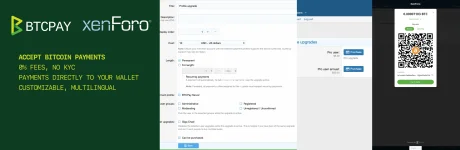
Why do members want to download BTCPay Payment Provider from here? Because this resource was immediately available as of 2025-05-23, It received professional maintenance and updates when it was released synchronously on NullPro.
Notes
The add-on does not support recurring payments
The add-on does not support refunds
Installation
Install the add-on via control panel or manually
Configuration
Payment Profile
Go to XenForo Admin Panel (/admin.php)
Click on [Setup] -> [Payment Profiles]
Click on [Add Payment Profile]
Choose "BTCPay Server" in the "Provider" dropdown
Click on "Proceed..."
In the field "Host", enter the full URL of your host (including the https) – https://btcpay.mydomain.com
Create API Key
Go to your BTCPay Server
Click on [Account] -> Manage Account on the bottom left
Go to the tab "API Keys"
Click [Generate Key]
Check the following permissions:
Create an invoice (btcpay.store.cancreateinvoice)
View your stores (btcpay.store.canviewstoresettings)
Below the permissions click on [Select specific stores] and select the store created already (this ensures the API key is restricted to this single store)
Click on [Generate API Key]
Copy the generated API Key to your BTCPay Server payment profile settings form
Setup Webhook
Go to your BTCPay Server
Click on [Settings]
Go to the tab "Webhooks"
Click [Create Webhook]
Enter the following URL, replacing "https://mydomain.com" with your forum URL, in the "Payload URL" field: https://mydomain.com/payment_callback.php?_xfProvider=btcPayServer
Below "Which events would you like to trigger this webhook?" choose "Send me specific events" and select "An invoice has been settled"
Click on the eye icon near the "Secret" field and copy the secret to your BTCPay Server payment profile settings form
Click on [Add Webhook]
Note: When testing a webhook, it may produce a 403 error - this is normal.
Payment Profile (continued)
Go to your BTCPay Server
Click on [Settings]
Copy the "Store ID" to your BTCPay Server payment profile settings form
Click on [Save]
Usage
You can use this integration wherever payment goes through XenForo payment profiles.
In most cases, a newly created payment profile requires activation in certain contexts. Let's look at an example of activating a newly created profile for user upgrades:
Go to XenForo Admin Panel (/admin.php)
Click on [Setup] -> [Users] -> [Users customization]-> [User upgrades]
Click on the user upgrade you want to activate the payment profile for
Select the payment profile you created in the "Payment profile" select box
Click on [Save]
![Brazilian Language [PT-BR]](/data/resource_icons/27/27475.jpg?1773559468)


![[JUM] Payment Providers](/data/resource_icons/0/914.jpg?1720149240)
![[OzzModz] Payment Provider: POLi](/data/resource_icons/4/4877.jpg?1720149262)
![[021] Payment provider tax](/data/resource_icons/11/11946.jpg?1720149296)