- Short Description
- This is useful for speeding up your site mainly
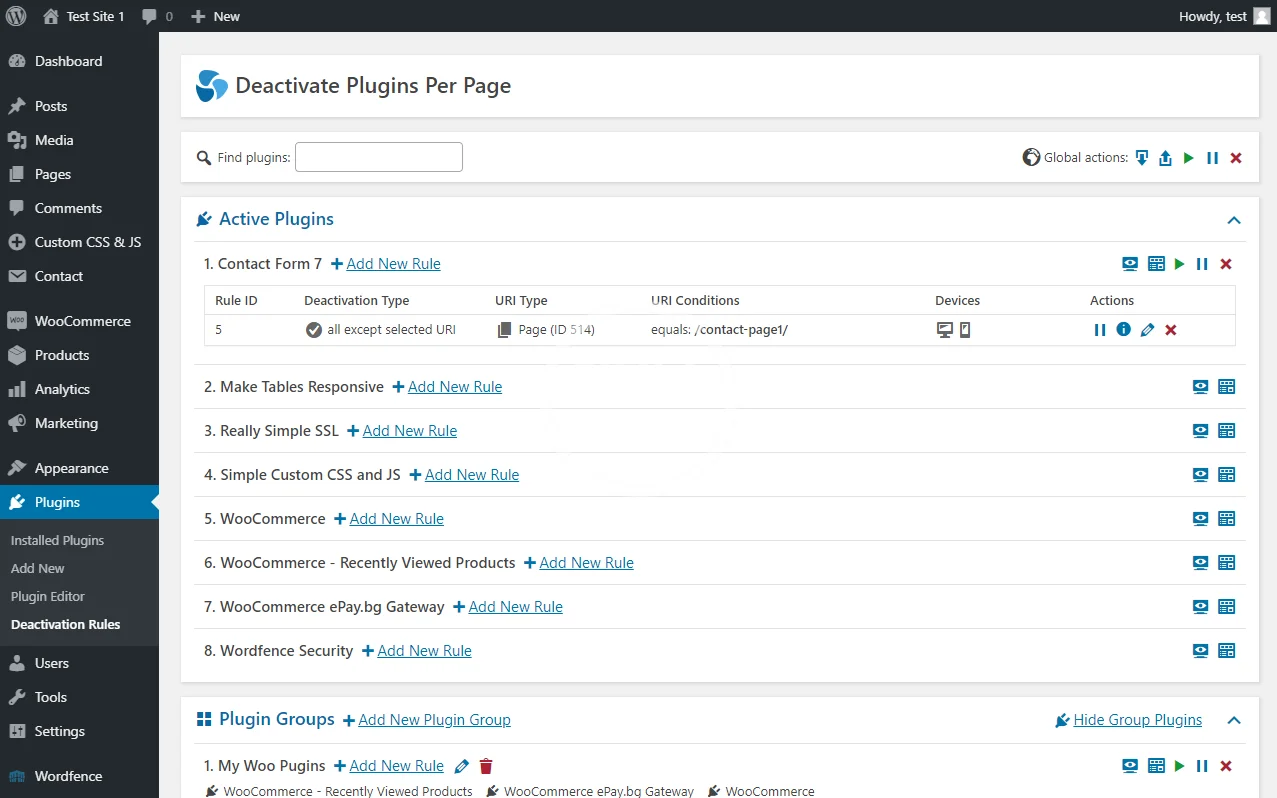
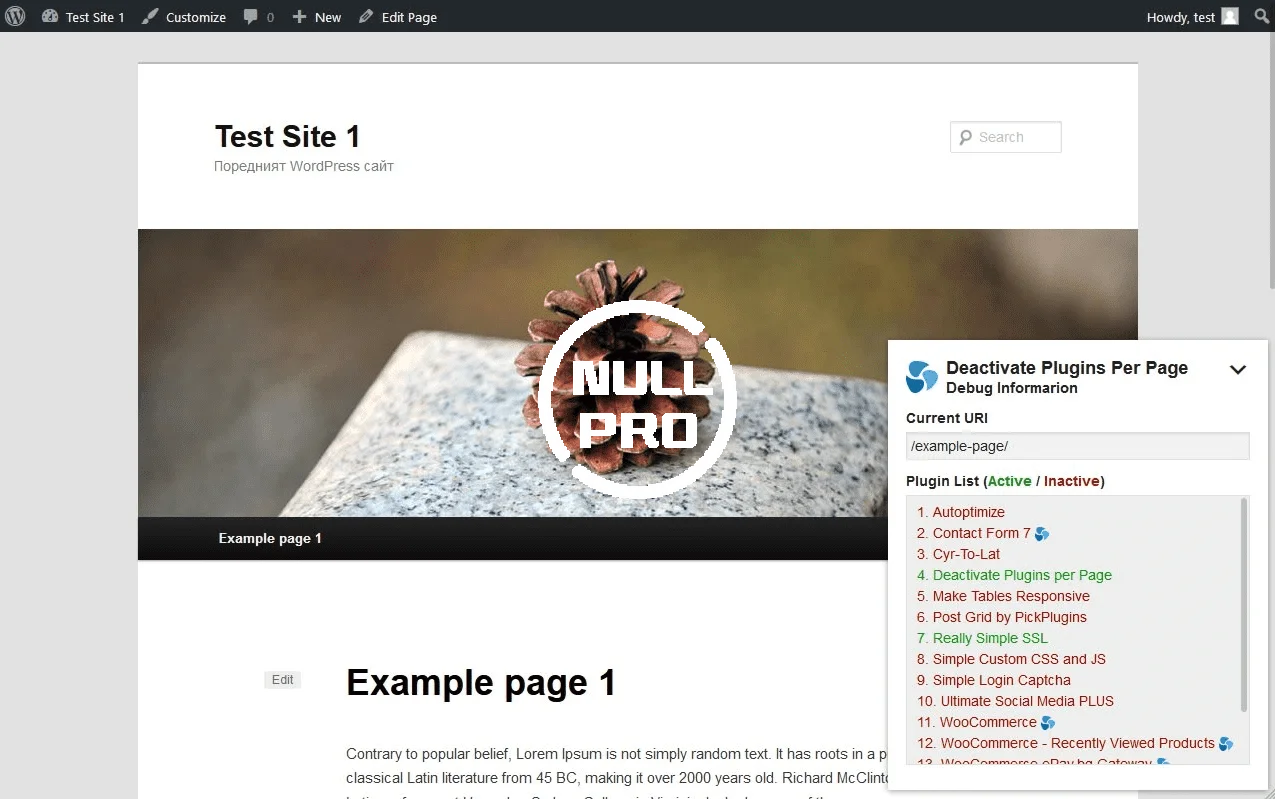
With “Deactivate Plugins Per Page” you can easily disable plugins on certain WordPress pages (or on all except a selected page).
This is useful for speeding up your site mainly because many front-end plugins will load their JavaScript and CSS assets on every page, even if you use them on one page.
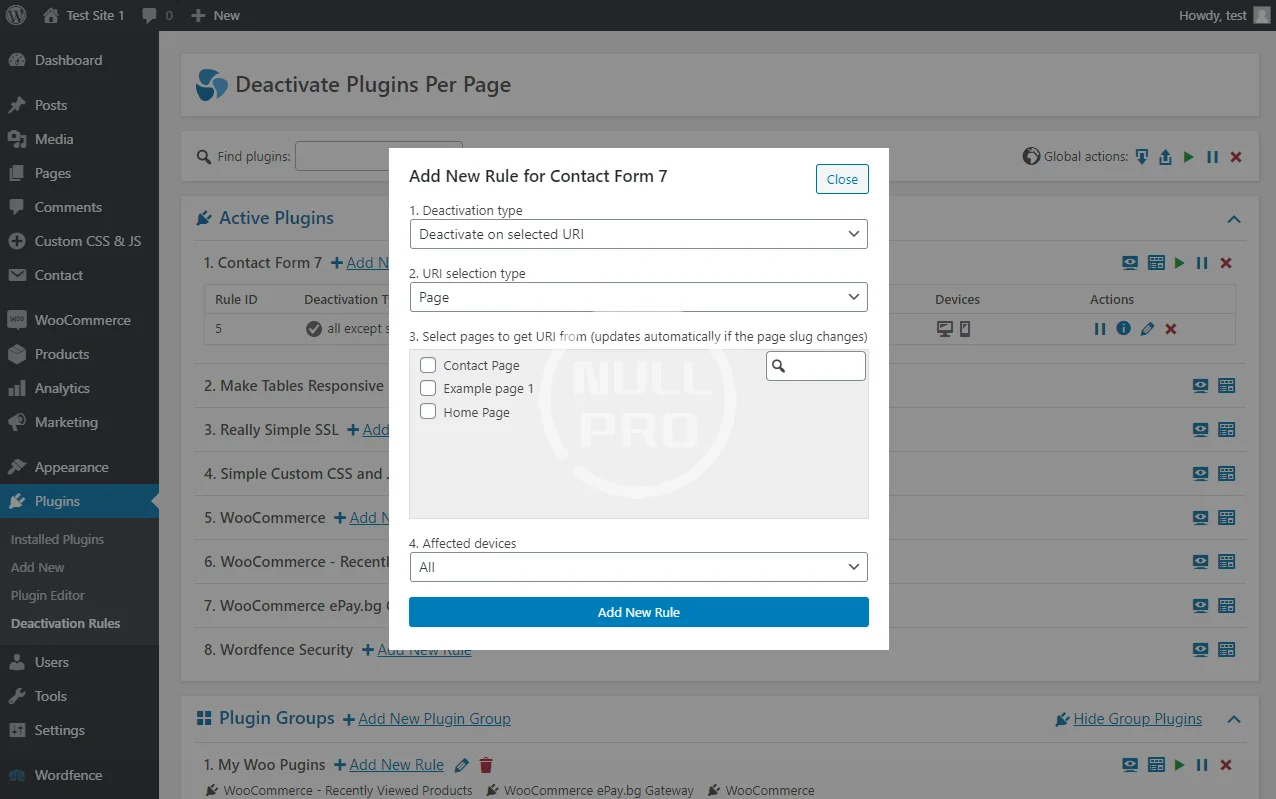
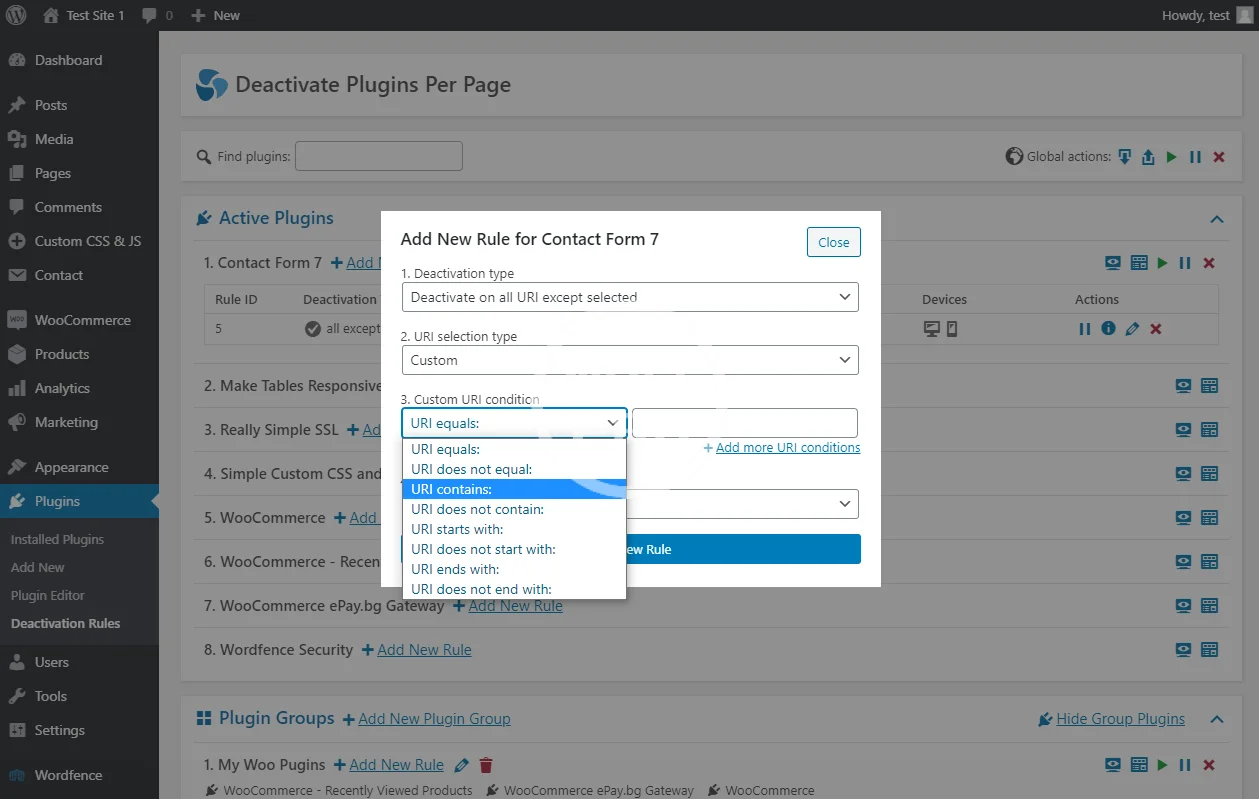
1. Deactivation Type
- Deactivate on selected URI
- Deactivate on all URI except selected
2. URI selection type
- Page
- Custom
3. [Page] Select pages to extract URI from (it will update automatically if the page slug changes)
3. [Custom] Custom URI condition
- URI equals …
- URI does not equal …
- URI contains …
- URI does not contain …
- URI starts with …
- URI does not start with …
- URI ends with …
- URI does not end with …
This is useful for speeding up your site mainly because many front-end plugins will load their JavaScript and CSS assets on every page, even if you use them on one page.
1. Deactivation Type
- Deactivate on selected URI
- Deactivate on all URI except selected
2. URI selection type
- Page
- Custom
3. [Page] Select pages to extract URI from (it will update automatically if the page slug changes)
3. [Custom] Custom URI condition
- URI equals …
- URI does not equal …
- URI contains …
- URI does not contain …
- URI starts with …
- URI does not start with …
- URI ends with …
- URI does not end with …