

- Краткое описание
- Unlock advanced control with Divi Advanced Pricing Table Module for stunning, easy-to-understand web pricing tables. Customize 6 horizontal and 6 vertical layouts, add titles, subtitles, images, badges, features lists, descriptions, price options, and tooltips to enhance user experience and conversions.
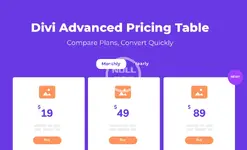
Gain Full Control Of Your Divi Pricing Tables
This powerful and feature-rich Divi module will help you create concise, easy to understand pricing tables that convert your web visitors into customers that look amazing as well!
Flexible Vertical Pricing Layout
- Disable, enable and reposition pricing elements
- Display pricing in toggle or tabs
- Build pricing with 11 available elements
- Display pricing and feature tooltips
- Display a feature icon to visually transmit a message
- Highlight plans with badges in a variety of styles
- Display in equal height
- Display in 3 or 4 columns
- Responsive columns widths
- Display pricing in toggle or tabs
- Display pricing and feature tooltips
- Display a feature icon to visually transmit a message
- Display inline and overlay badges
Comparison Table (coming soon!)
- Provide great user experience
- Highlight differences in an easily accessible way
- Expedite the user’s decision-making process in your favor
- Compare your products or services against a competitor
All the Pricing Table Elements You’ll Ever Need
The Divi Advanced Pricing Table Module plugin provides you with a collection of highly customizable elements and features that will empower you to build pixel-perfect, easy to comprehend pricing tables to help your business grow.
Add a unique title to each of your tables and identify each pricing plan such as “Beginner Plan, Pro Plan, Enterprise Plan”, for example.
Add a subtitle to each pricing table to further describe the pricing option and who it might benefit… for example, “Perfect for Beginners!”
Add some flair to your pricing table by including an image or icon that makes your product or service stand out at first glance.
Utilize customizable dividers within your pricing tables to help separate important information, making it easier to read and understand.
Designate a new feature addition or that a sale is ending soon, for example Best Deal” or create captivating CTA badges at the top of your pricing that will make them individually stand out.
Display button to redirect clients to purchase page. Make it stand out and get immediate response or encourage an immediate sale.
Display a line list of features for your pricing table and designate whether they are included in that particular pricing option or not.
Give your customers further clarity and confidence about your pricing options by including a more detailed description.
This is, of course, the most important component and we give you the option to designate currency type, display a sale price, price variants and more!
Further clarify your pricing table options without adding clutter by providing useful tooltips alongside the table title and feature list items.


