

- Краткое описание
- Control your WordPress site's design and functionality with ease. Apply custom CSS/JS/HTML codes selectively via URL, preview changes, use Sass/Less preprocessors, minify for faster load times, and manage revisions securely. Customize any subsite in a multisite setup or export/import code across installations.
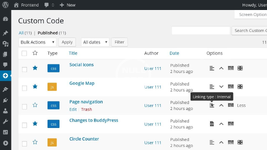
Get full control over the design and functionality of your WordPress site
By default the code is applied on the entire website. Use this feature to restrict the pages on which the code shows up. For example, the settings from the left screenshot will apply the code on the entire website, except on the pages with the URL containing the word "category". You can add further constrains to match exactly the pages you want.Network wide custom CSS/JS/HTML codes
On multisite WordPress installations any custom CSS/JS/HTML code written in the main subsite can show up on all the other subsites, if the "Apply network wide" option is enabled. The Simple Custom CSS and JS Pro plugin needs to be activated on all the subsites where you want the custom code to show up, but the license key doesn't need to be activated on each of the subsites for this functionality to work.Any custom HTML code can be placed in the page's header, the footer or, if given an id, it can be used as a shortcode in a page/post or in a text widget. The shortcodes also accept variables, so the same shortcode can be shown in several places on your website with slight modifications. In a multisite WordPress installation a shortcode defined in the main subsite with the "Apply network wide" option enabled can be used in any other subsite.
You can check how the website looks like before you save the code and apply the changes live. By clicking on the Preview Changes button, a preview page will be opened in a new tab. The generated URL in the new tab can be shared with your co-workers or your customers, so you can ask their opinion about the changes before making them live.
Keep a history of all the changes done to the CSS and JS codes along with the options, the date and the user who has done the changes. You can compare any two individual revisions to see what was added, what remained unchanged and what was removed.
Use Sass or Less Preprocessors
Get professional with CSS by adding nested rules, variables, mixins, selector inheritance, mathematical or logical calculations ... If you already write in Sass or Less then you know the plentitude of advantages.Reduce the size of your codes so your website stays sleak and loads fast. In a survey of ten top U.S. web sites, minification achieves a 21% size reduction.
(Noted in Best Practices for Speeding Up Your Web Site from Yahoo)
Export and Import CSS and JS codes
These are your codes; you can do whatever you want with them. If you want to reuse the code in another WordPress installation, you can simply export the code along with all the metadata (options, preview URL, URL restrictions, except the revisions).Nulled Method:
Содержимое данного скрытого блока доступно только участникам следующих групп: Bronze Member


