

- Краткое описание
- Smart Content Protector safeguards your WordPress site's text and images, preventing plagiarism. With advanced protection features like disabling shortcut keys and image dragging, it ensures content security. Customize settings to protect all pages or specific ones, including home page and posts. Easy-to-use with customizable options for enhanced security.
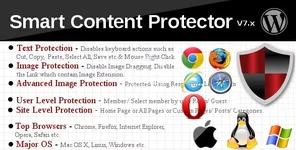
About Smart Content Protector
Smart Content Protector is the go to Plugin to Protect the Text and Images in your WordPress site. In order to avoid Plagiarism, it is essential to make sure the Text and Images from your WordPress site is not copied. This Plugin serves as the Content Protector for your WordPress site. It works automatically once the Plugin is activated.Text Protection features in this Plugin to disable the possible shortcut keys for copying the Text. Also this Plugin has Image Protection options to Disable the Image Dragging and Disable the Original Image to view. It also contains the option stop the link which shows the image link. Advanced Image Protection using Responsive Lightbox and Image Watermark. You can also choose where this Plugin should work like All Pages (including Home Page and all other Pages & Posts) or Home Page or Custom Pages/Posts using the Settings Page options.
- Supported for Windows, Linux, Mac OS X etc
- Multiple Text and Image Protection methods
- Advanced Image Protection using Responsive Lightbox
- Image Watermark
- Protect your Text and Images by Disabling the Mouse Right Click and Possible Shortcut Keys for Cut (CTRL+x), Copy (CTRL+c), Paste (CTRL+v), Select All(CTRL+a), View Source (CTRL+u) etc.
- Protect Content based on User Level (Members / Guests)
- Alert Message Option for Print Screen (PrtScn, ALT + PrtScn and CTRL + PrtScn). You can use it trick your users by displaying say “Print Screen is Disabled” message.
- Enable this Plugin on Home Page or All Pages or Custom Pages/Posts in Settings Page
- Custom Pages/Posts has Include/Exclude specific Page/Post for Protection
- Disable Image Dragging, Disable the Link which contain image extension
- Different Types of Settings like General Settings, Text Protection Settings, Image Protection Settings for customizing the Plugin as per your needs
- Works out of the box
- Disable Smart Content Protector by a check box in Settings Page
- Simple and Easy to use
- Highly Customizable from the Settings Page
- Option to Display Alert Message on Mouse Right Click
- Number of Empty lines in View Source can be set
- Append Text to the copied content
- Text Highlighting option
- Option to Prevent Page loading if JavaScript is Disabled in Browser
- Log IP Addresses that Copied Content
- Disable Right Click for Internal/External Links
- Inherently disables Right Click for HTML5 Video/Audio


